
If I’m helping you with Facebook, Instagram, advertising, or social media marketing, I’ll need access to your business assets.
How you grant access depends on whether you have a Meta Business Portfolio.
Step 1: Open Meta Business Settings
Go to business.facebook.com/settings and sign in to your Meta account.
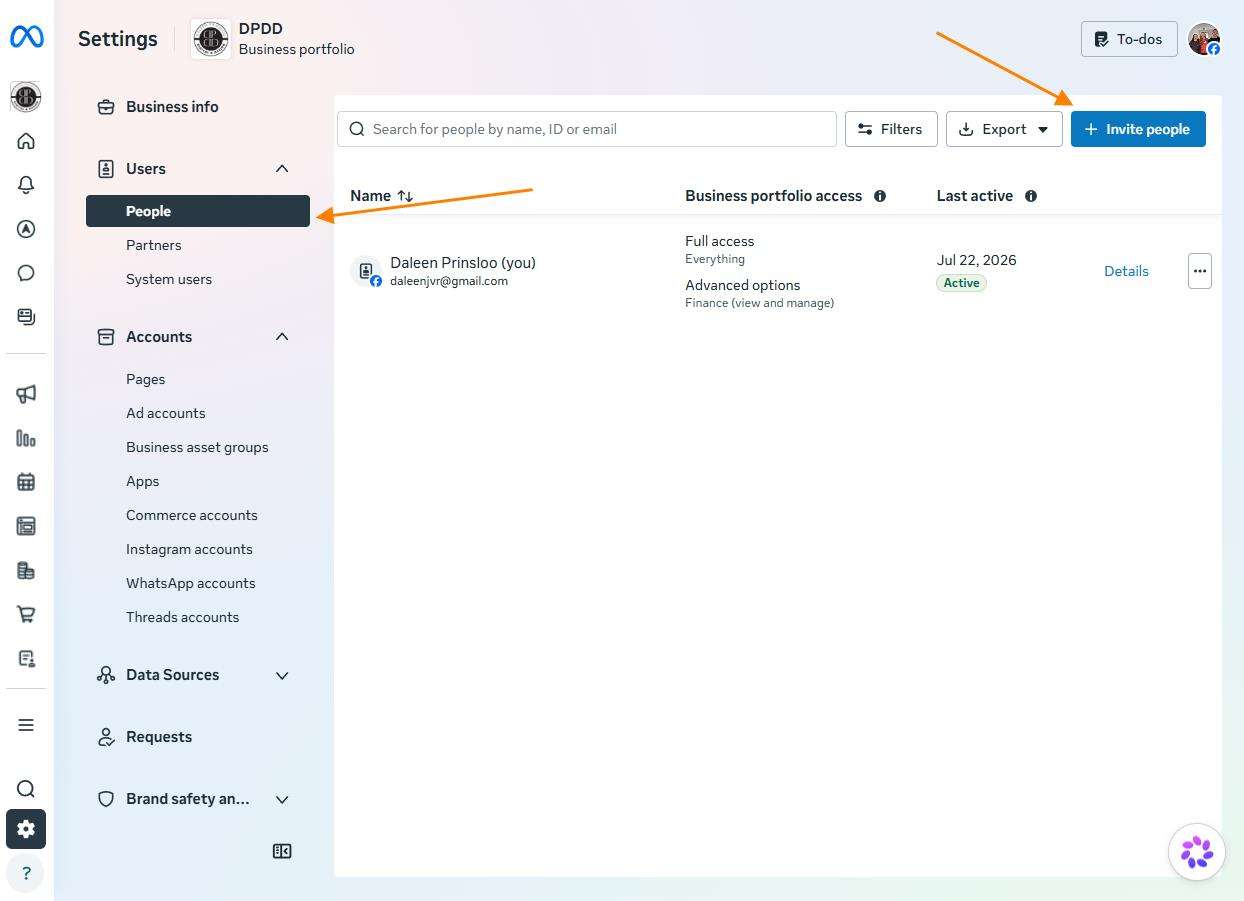
Step 2: Open People
In the left menu, click People.
Step 3: Invite a Person
Click Invite people.
Enter the email address I have provided.
Step 4: Choose Access
Select the level of access I’ve requested.
If I’ll be managing your Facebook Page, Instagram account, or advertising, employee access is usually all that’s required.
Step 5: Assign Business Assets
Choose the assets you’d like me to manage, such as:
• Facebook Page
• Instagram account
Assign the appropriate permissions for each asset.
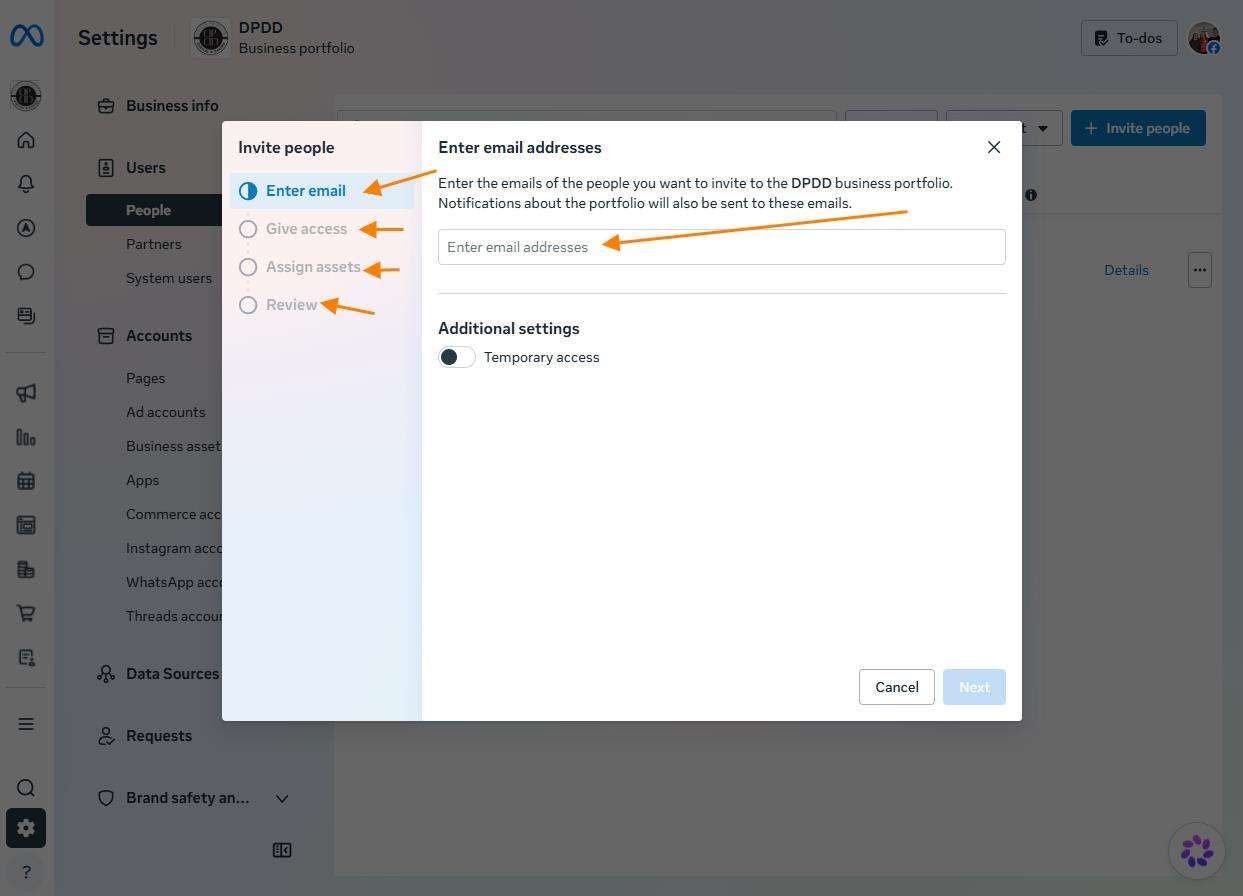
Step 6: Send the Invitation
Click Invite.
I’ll receive an invitation and accept it.