
If you would like me to manage your Facebook Page and Instagram account, you’ll first need to create a Meta Business Account. This allows you to keep ownership of your assets while giving trusted people access to manage them.
The process only takes a few minutes.
Create a Meta Business Account
- Go to https://business.facebook.com/
- Click Create an Account.
- Sign in with your personal Facebook account if prompted.
- Enter: Your business name, Your name & Your business email address
- IMPORTANT: Check your email for a one time pin to verify your email.
- Click Submit.
Your Meta Business Account has now been created.
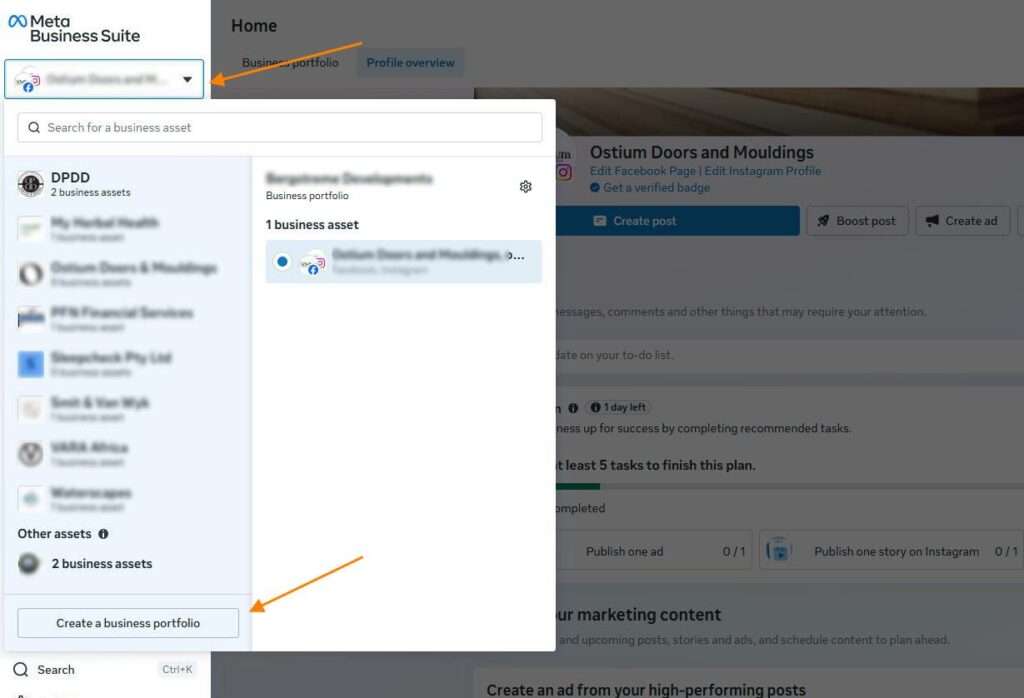
Add Your Facebook Page
- In the left menu, click Business Portfolio Settings.
- Select Accounts.
- Click Pages.
- Click Add.
- Choose Add a Facebook Page.
- Search for your Facebook Page and select it.
- Click Add Page.
If you are the Page owner, it will usually be added immediately.
Connect Your Instagram Account
- In Business Portfolio Settings, go to Accounts.
- Click Instagram Accounts.
- Click Add.
- Log in with your Instagram username and password. (be sure not to log in with your personal Instagram account)
- Complete any verification if requested.
Your Instagram account is now linked to your Meta Business Account.