
If you are working with a digital marketing agency, Google Ads manager or freelancer, you can give them access to your Google Ads account without sharing your Google password.
The process works by linking your Google Ads account to their Google Ads Manager Account. You simply provide your 10-digit Customer ID, they send you a link request, and you approve the request from your Google Ads account.
1. Find Your Google Ads Customer ID
Your Customer ID is the 10-digit number associated with your Google Ads account.
- Sign in to your Google Ads account.
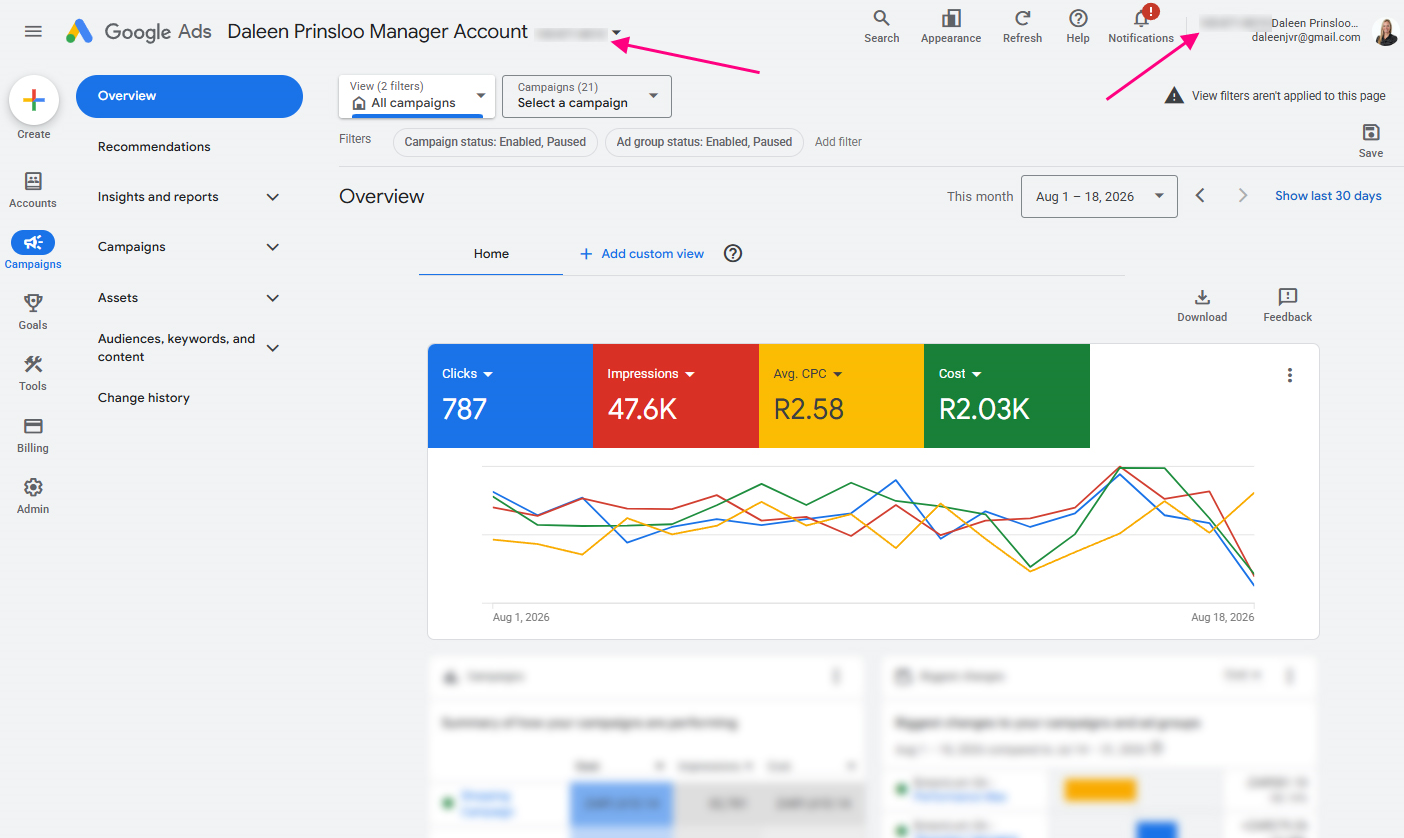
- Look in the top-right corner of the Google Ads interface.
- You will see your 10-digit Customer ID.
- Copy this number.
Your Customer ID will look something like: 123-456-7890
Copy and send this number to me.
Important: Your Customer ID is not your password. You can share it with the person or agency that needs to send you the manager link request. Do not share your password!
2. Ask Your Manager or Agency to Send a Link Request
Once you have given them your Customer ID, the manager or agency will use their Google Ads Manager Account to send a request to link your account.
You may receive an email notifying you that a manager has requested to link to your account.
3. Go back to Google Ads
Once you are inside Google Ads:
- Click Admin on the left-hand menu.
- Select Access and Security.
- Click the Managers tab.
Google lists pending manager linking requests under the Link request section.
4. Accept the Manager Request
Look for the manager or agency that has requested access to your account.
Under the Actions column find the pending request.
Check that the manager or agency name is correct. Click Accept.
You can also accept the request directly from the invitation email if Google provides an Accept request option.
You’re Done
Once you accept the request, Google automatically links your Google Ads account to the manager account.
The manager will receive confirmation that the request has been accepted, and your account will appear in their Manager Account.
The agency can now work on your Google Ads account according to the access and ownership arrangement that has been set up.