
If you’re working with me on your digital marketing, I will need access to your Google Analytics account. This allows me to measure website traffic, understand visitor behaviour, track conversions, and make data driven recommendations. The good news? You don’t need to share your password or transfer ownership of your account. You simply grant us access with the appropriate permissions.
Google Analytics 4
Step 1: Sign in
Go to Google Analytics and sign in with the Google account that manages your website.
Sign In here: https://analytics.google.com/
Step 2: Select the Correct Property
If you manage multiple websites, make sure you’ve selected the correct Google Analytics account and property.
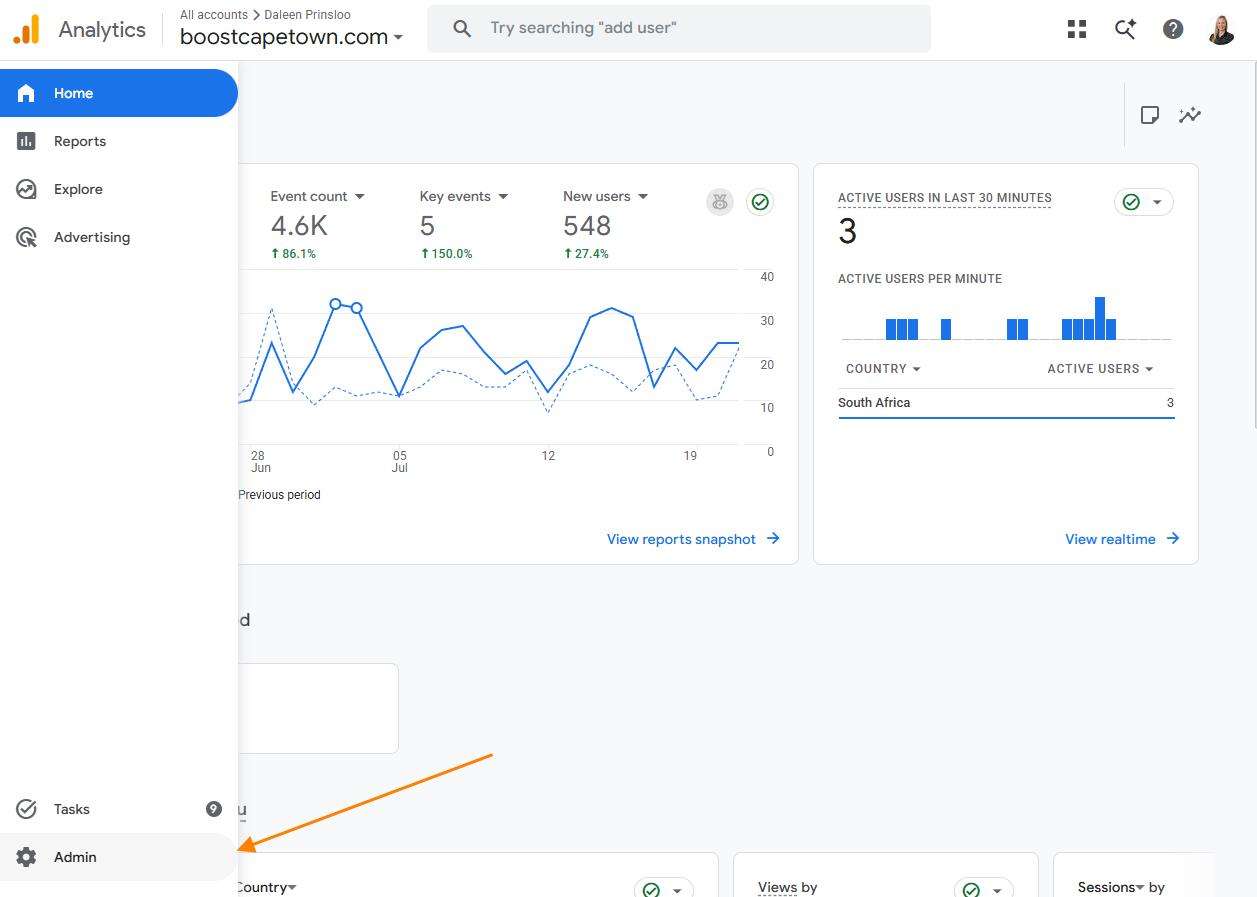
Step 3: Open Admin
Click the Admin gear icon in the bottom left corner.
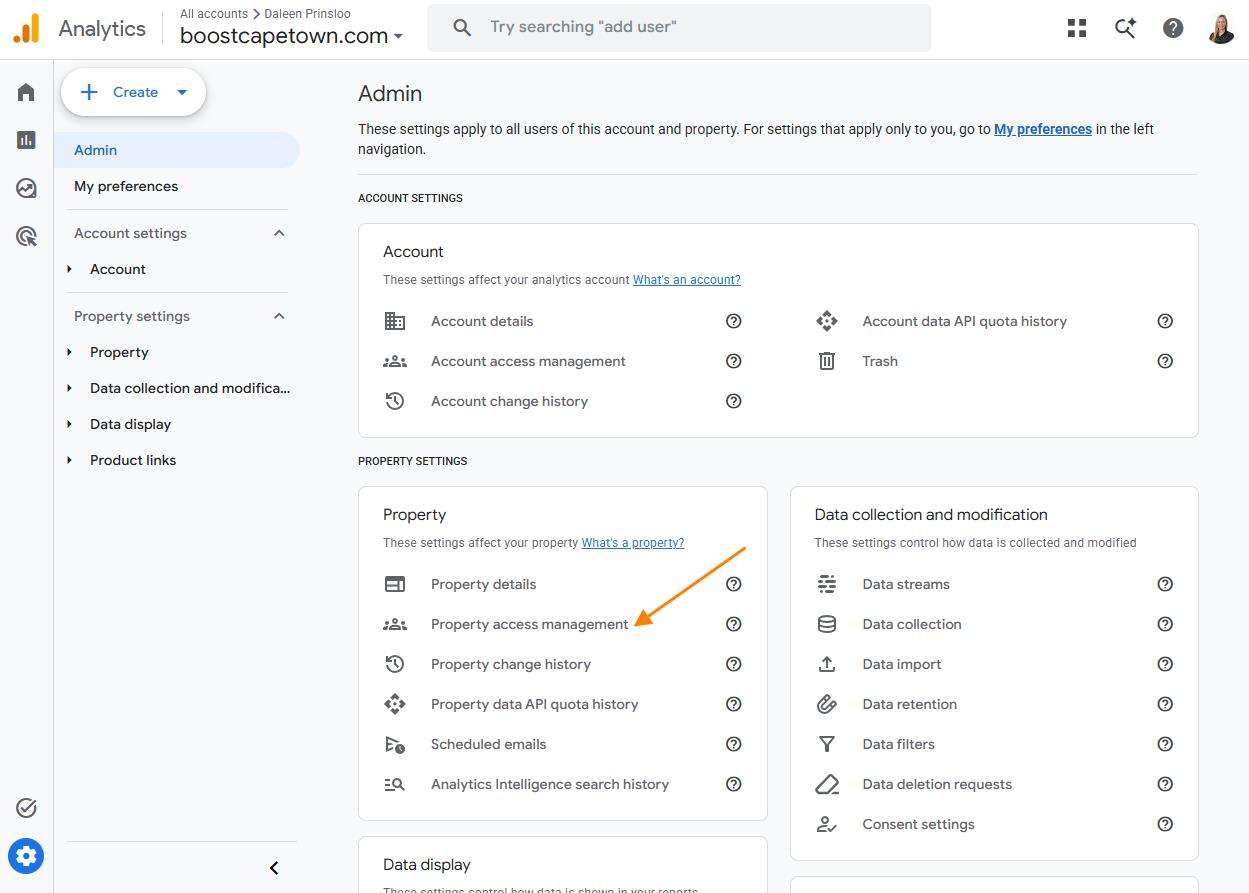
Step 4: Open Property Access Management
Under the Property column, click Property Access Management.
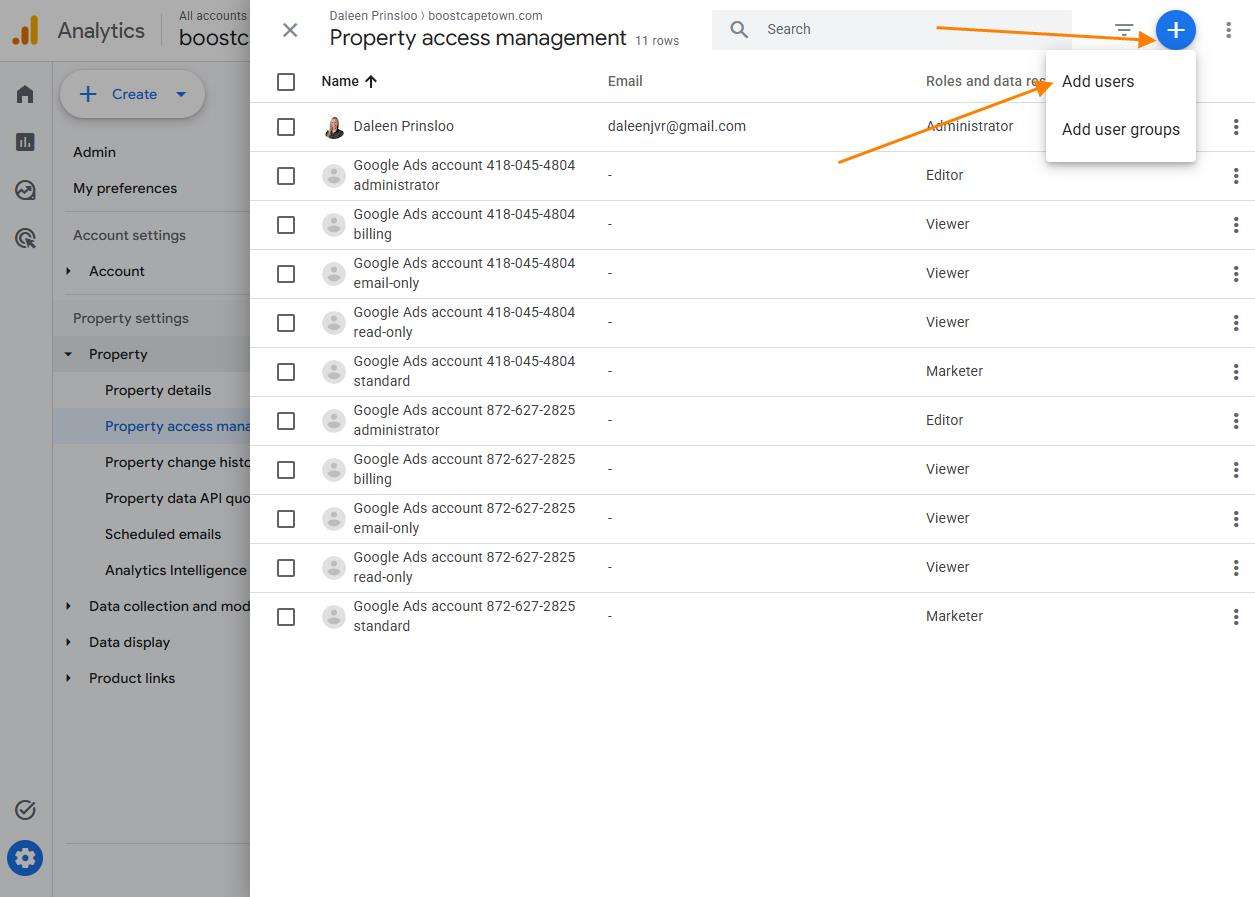
Step 5: Add a New User
Click the + button in the top right corner and select Add users.
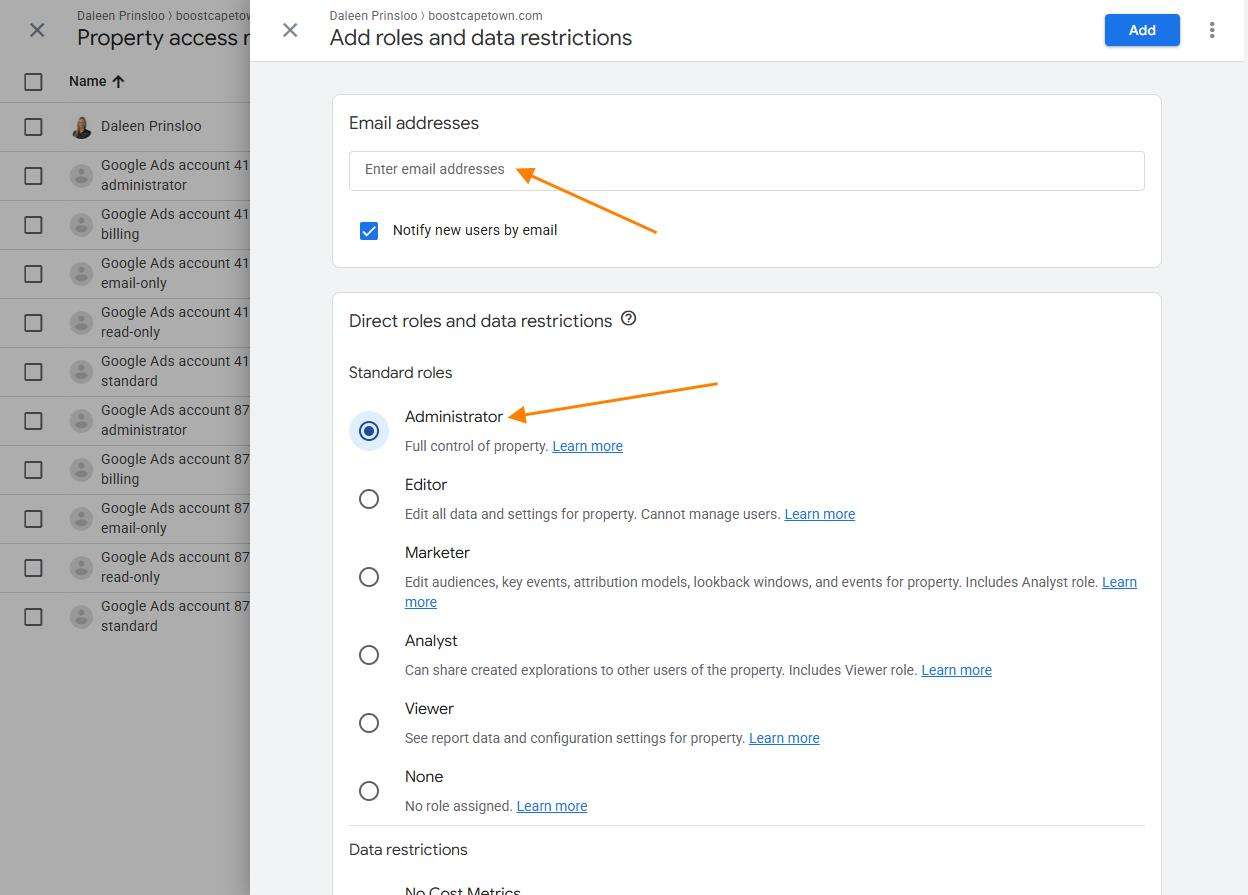
Step 6: Enter My Email Address
Enter the email address I have provided.
Step 7: Assign Permissions
Select the following permissions: Administrator
Leave Notify new users by email checked if you would like Google to send us an invitation.
Step 8: Click Add
Click Add to complete the process.
That’s it. I’ll receive access automatically.