
If I’m helping you with your local SEO, Google Maps rankings, or managing your Google Business Profile, I’ll need access to your profile.
The good news is that you remain the owner of your business profile. You simply invite me as a user, so there’s no need to share your Google password.
You’ll need:
• A Google Business Profile that has already been claimed and verified.
• Owner access to the business profile.
Step 1: Sign In
Go to Google Business Profile and sign in with the Google account that owns your business profile.
Sign in here: https://business.google.com/locations
Step 2: Open Your Business Profile
If you manage more than one business, select the correct profile. You can also search for your business name directly in Google while signed in. Your Business Profile management options will appear in the search results.
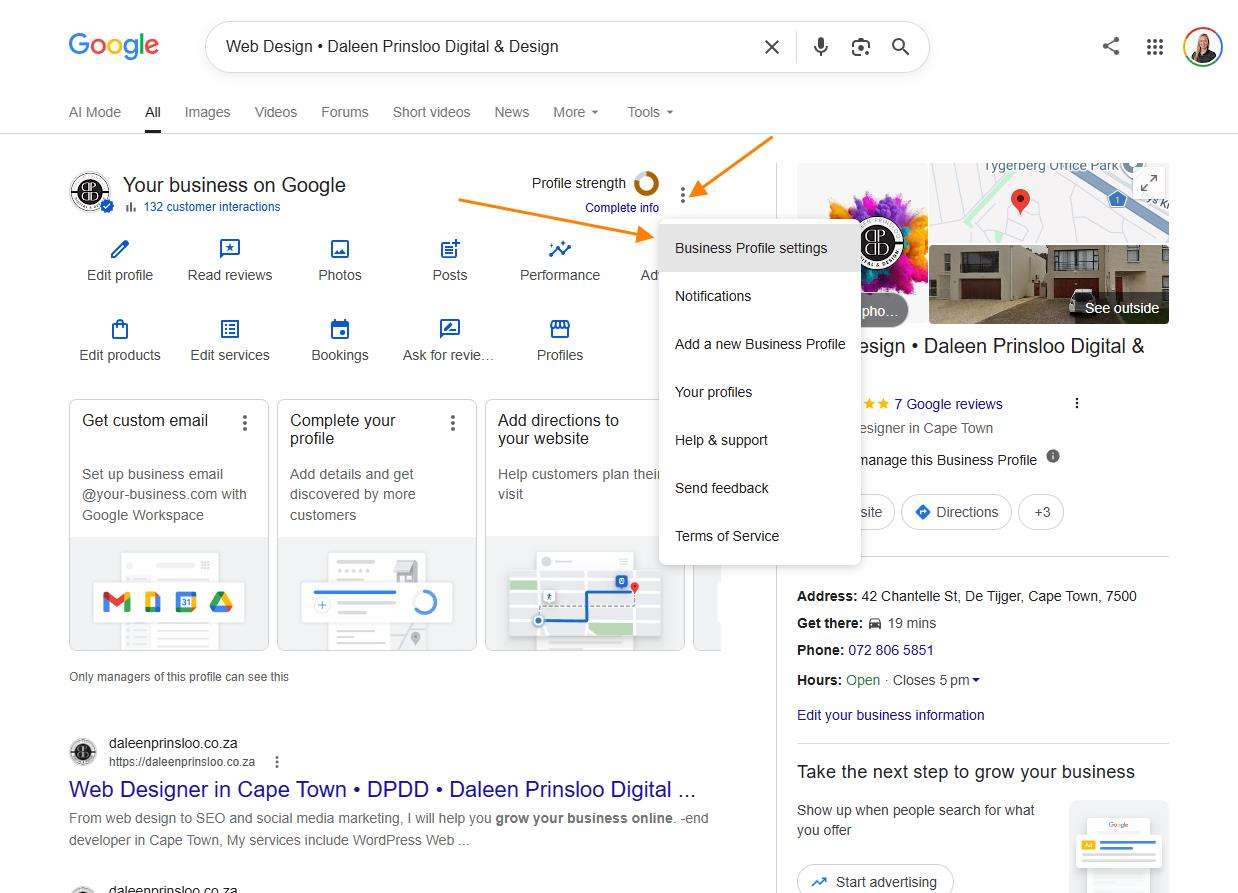
Step 3: Open Business Profile Settings
Click the three dots (⋮) or select Business Profile settings, depending on the screen you’re viewing.
Choose People and access.
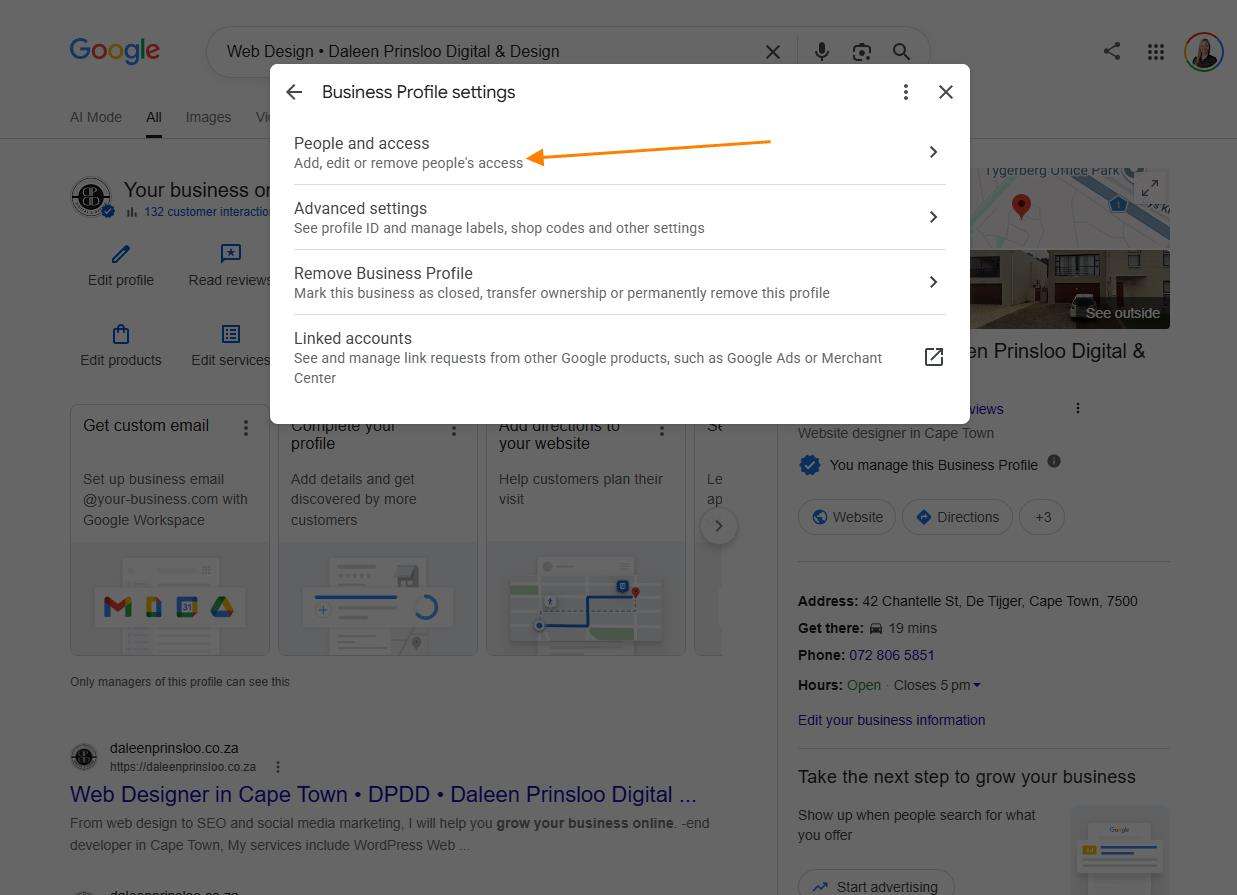
Step 4: Add a User
Click Add.
Enter the email address I have provided.
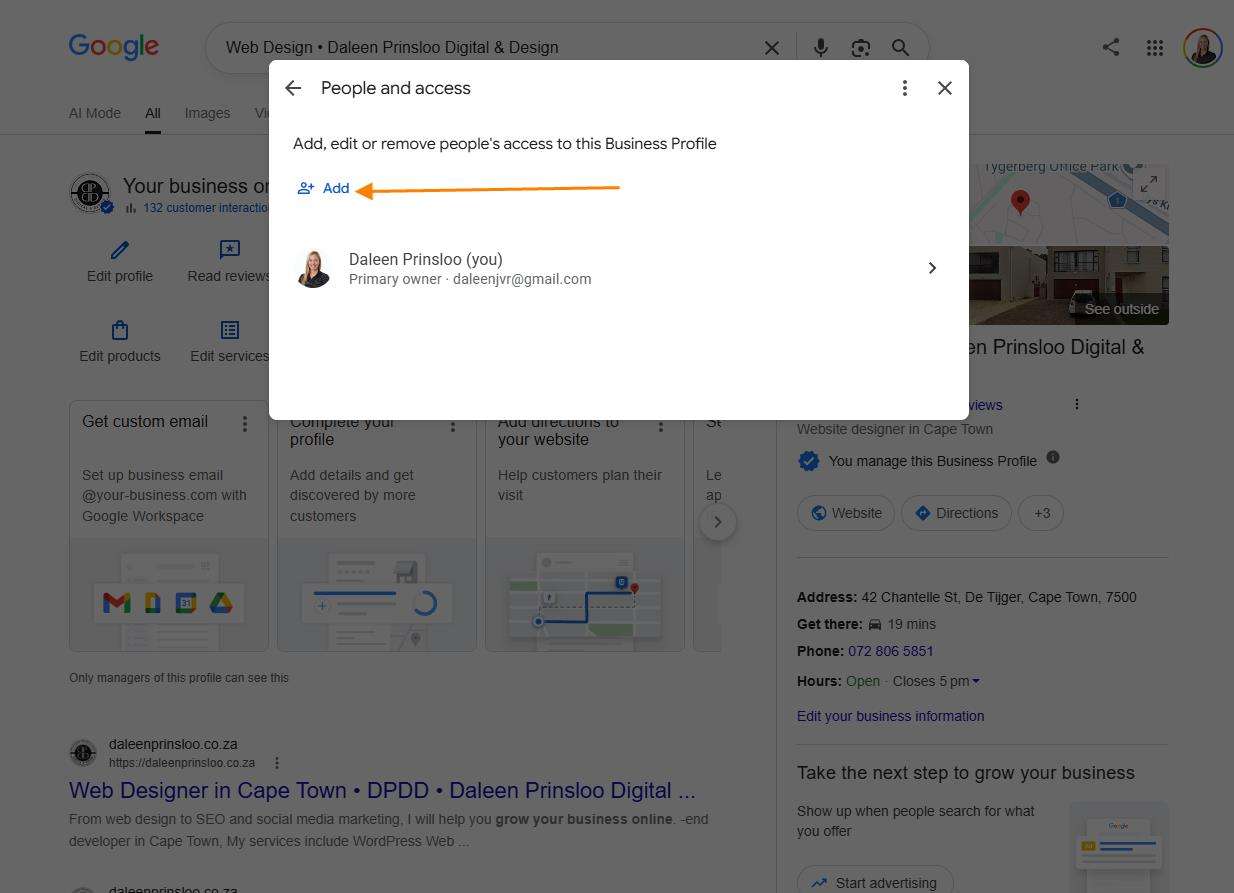
Step 5: Choose the Access Level
Select Manager unless I have specifically requested a different level of access.
Managers cannot: Remove the primary owner. Transfer ownership. Delete the business profile. This means you stay in full control of your business.
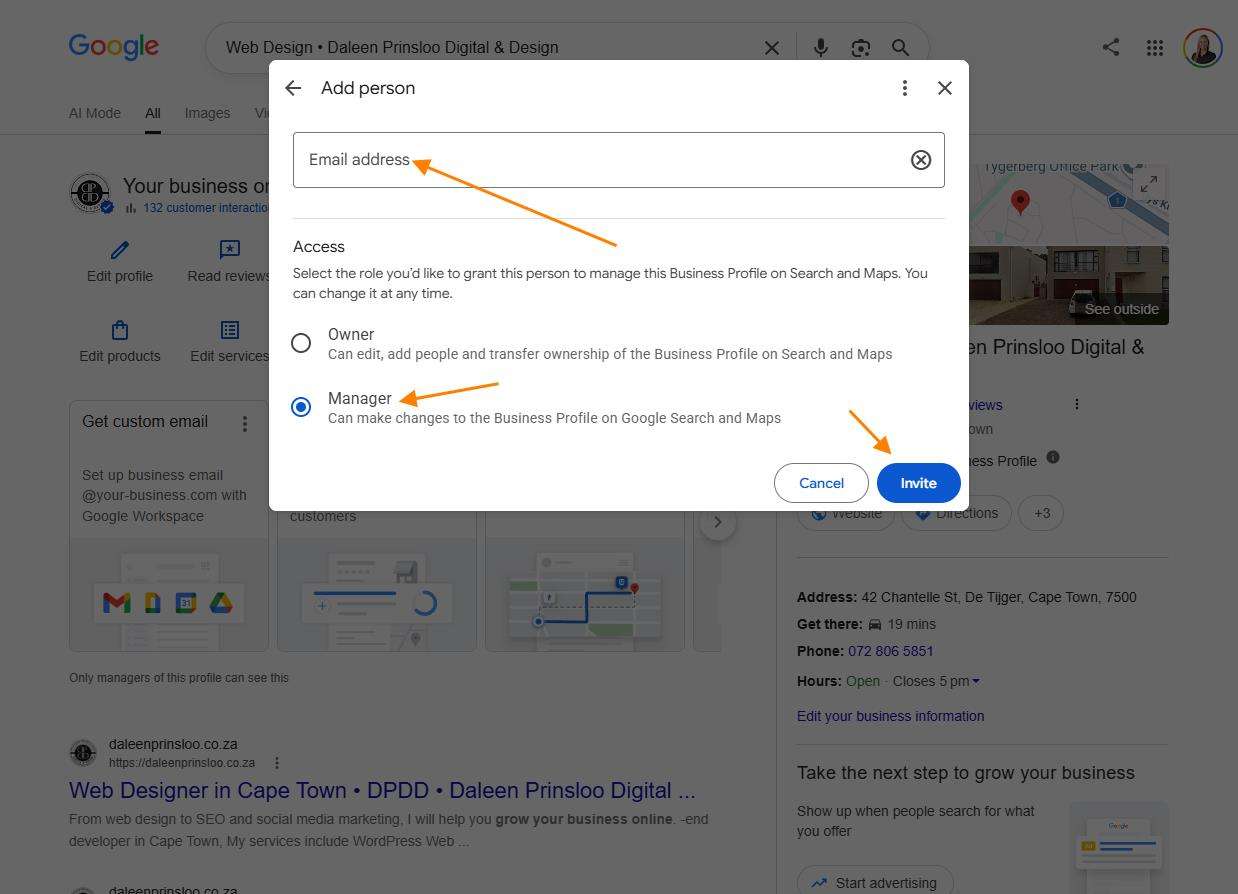
Step 6: Send the Invitation
Click Invite.
I’ll receive an email invitation and accept it from my side.
Your Business Stays Yours
Inviting me does not transfer ownership of your Google Business Profile.
You remain the owner and can remove my access at any time through the People and access section.