
If you have asked me to set up or manage tracking on your website, I will need access to your Google Tag Manager account.
Google Tag Manager allows me to manage tracking tags on your website, including Google Analytics and Google Ads conversion tracking. You can grant me access without sharing your Google account password.
Follow the steps below to give me access.
Step 1: Sign in to Google Tag Manager
Go to https://tagmanager.google.com/ and sign in using the Google account linked to your account.
Select the account and container associated with your website.
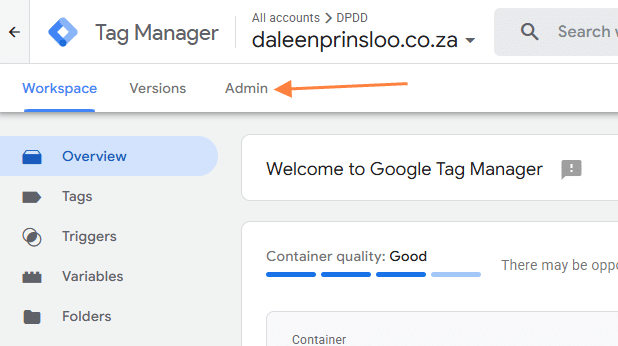
Step 2: Open the Admin settings
Click Admin in the left-hand menu.
You will see two options: Account Access Management and Container Access Management.
Step 3: Grant me account access
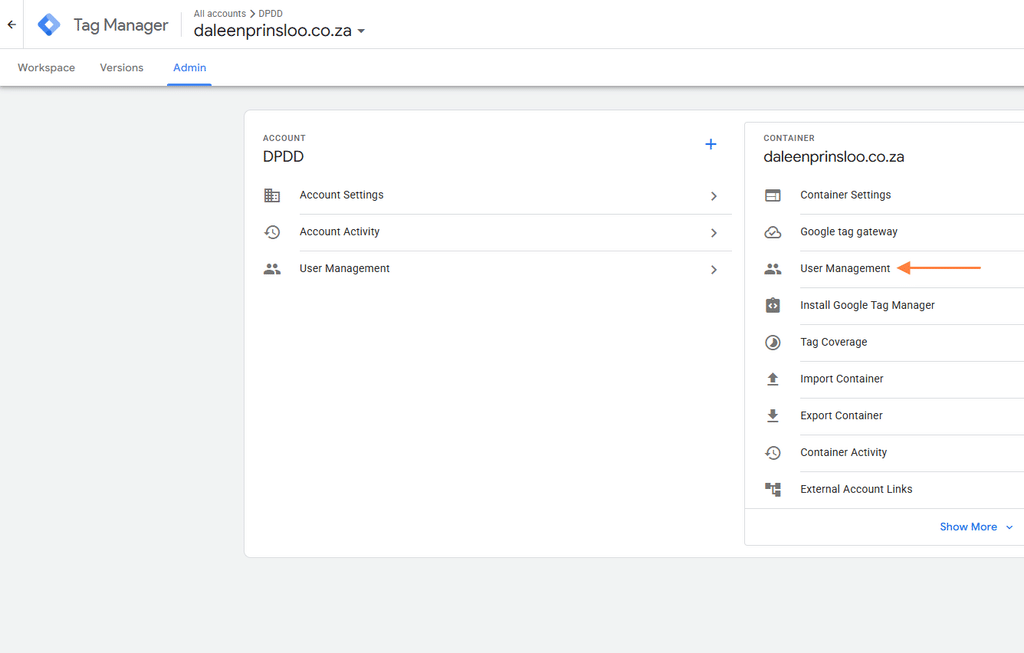
Under the Account column, click Account Access Management.
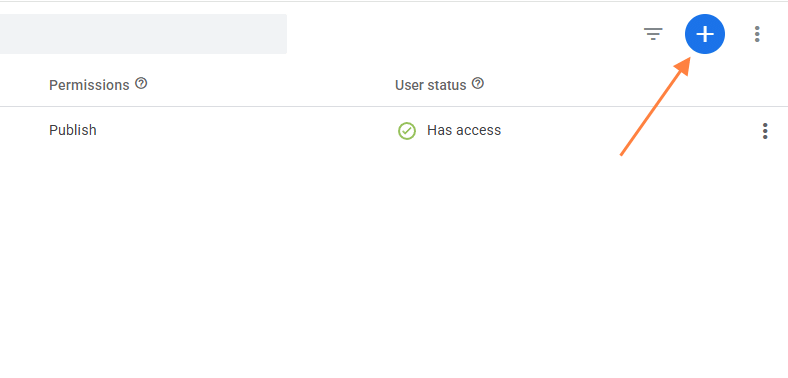
Click the + button in the top-right corner and select Add users.
Enter the email address I provided to you.
Select the appropriate permissions. If I need to manage your entire Google Tag Manager account, select Administrator. If I only need access to your website’s container, you can grant me access at the container level instead.
Click Invite to send the invitation.
Step 4: Grant me container access
If you prefer to give me access only to the container associated with your website, return to the Admin screen and select Container Access Management.
Click the + button and select Add users.
Enter the email address I provided to you.
Select the permissions required for the work. I generally need Edit access to configure tags and triggers. If I also need to publish changes to your website, I will need Publish permission.
Click Invite to complete the process.
Step 5: Let me know
Once you have sent the invitation, let me know so I can check that I have access and proceed with the agreed work.
Please note: You do not need to share your Google password with me. You can manage or revoke my access at any time through your Google Tag Manager account settings.
Need help?
If you have any questions or need help granting me access, please contact me. I will gladly guide you through the process.